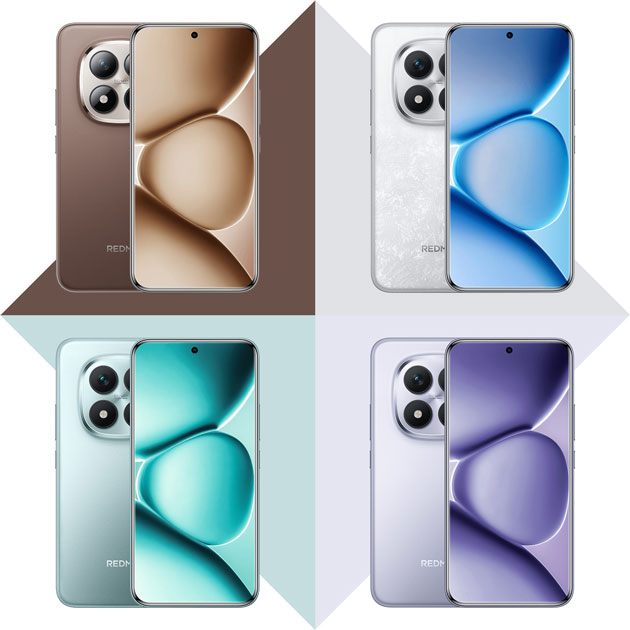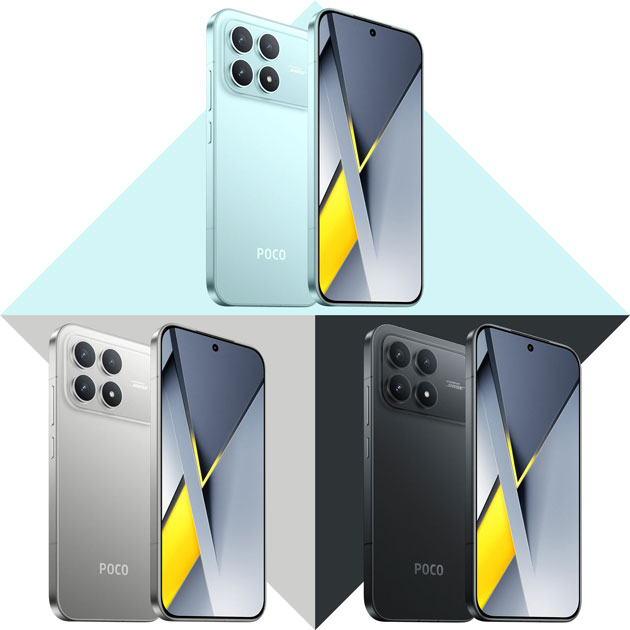
Is the Samsung Galaxy A56, the popular mid-range phone you’ve heard so much about over the past year, really worth buying? In this review, I’ll dive straight into its strengths and weaknesses without holding back, so you can see if the A56 is just a good-looking phone or if it has something more to offer.
Design
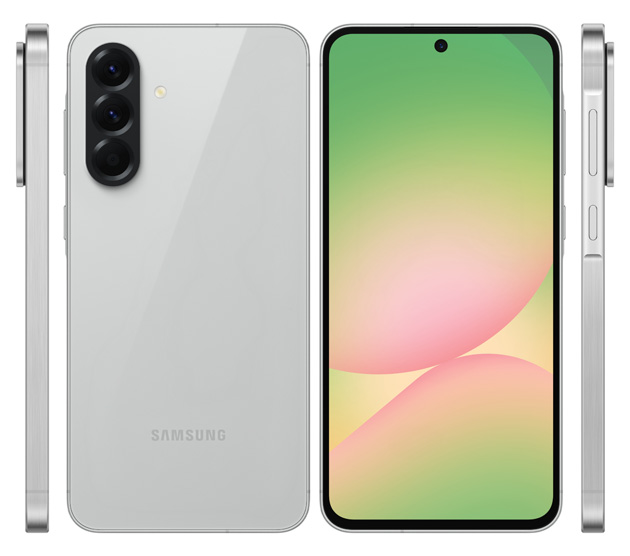
The Galaxy A56 looks more luxurious and elegant than the previous generations. Even if you’re a Samsung hater, you’ll definitely admit this. Just like the previous generation, it’s made of a mix of glass and aluminum, which gives you that high-end phone feel the very first moment you hold it.
The design of this phone on the front and the frame is no different from the Galaxy A55, but the back panel of the Galaxy A56 has become much more beautiful, with the main change being the camera layout. In the previous generation, the cameras were separate islands, but on the A56, they are all housed in one single island.
The frame covering the cameras has a positive and a negative side. The good thing is that it’s metal and feels great to touch. The bad thing is that unfortunately, there is a slight gap between it and the back cover, which causes dust to gather in that area.
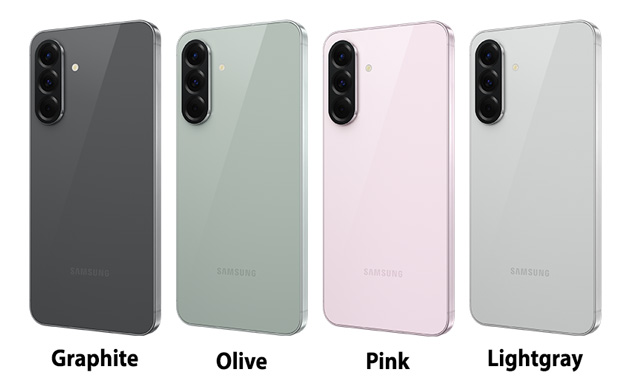
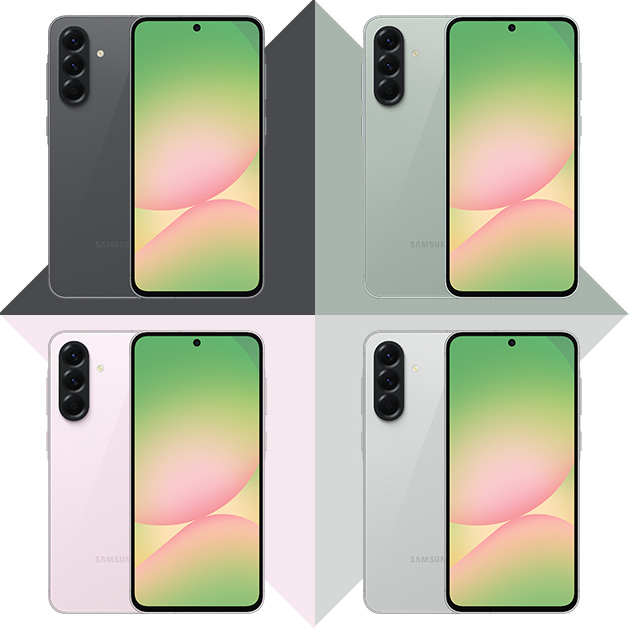
You can get the Galaxy A56 in four colors: Pink, Olive, Graphite, and Lightgray. The flat glass back panel is made of Gorilla Glass Victus+, and fingerprints are much less visible on the lighter colors compared to the darker ones. The flat aluminum frame has a brushed finish, which doubles its beauty.
On the left side of this phone, there is nothing except two antenna bands. On the right side, you’ll see the power and volume buttons. As always, the power button is in a good spot, but the volume buttons are placed so high that they are hard to reach even if you hold the phone in your right hand. At the bottom, there is the speaker, Type-C port, SIM tray, and microphone, and at the top, there is another microphone.
On the front panel, Samsung used flat Gorilla Glass Victus+ to protect the screen. At the top, you’ll see the selfie camera in a punch hole. Even though the screen bezels are slightly smaller than the previous generation, I still feel they are quite large and might be annoying for some.
The optical fingerprint sensor is placed under the display. Its location is very low, and its speed isn’t good at all. I really wish Samsung would just give up on optical fingerprint sensors for its mid-range phones.
The Galaxy A56, with a thickness of 7.4mm, is 0.8mm thinner, and weighing 198g, is 15g lighter than the A55. By the way, the Galaxy A57 that was recently introduced, is even much thinner and lighter than the A56.
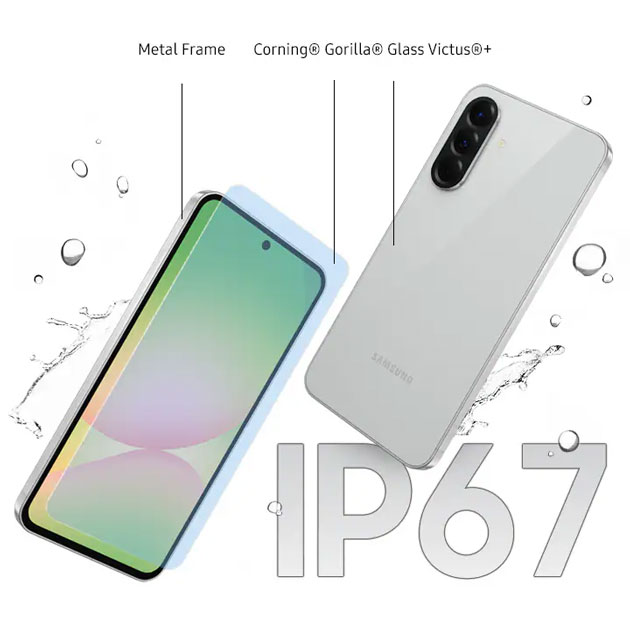
This phone has an IP67 rating, meaning it’s resistant to dust and can be submerged in water.
I can say that if we ignore that annoying optical fingerprint sensor in the design and build section, I think it’s excellent here and I can’t really find any major faults with it.
Camera
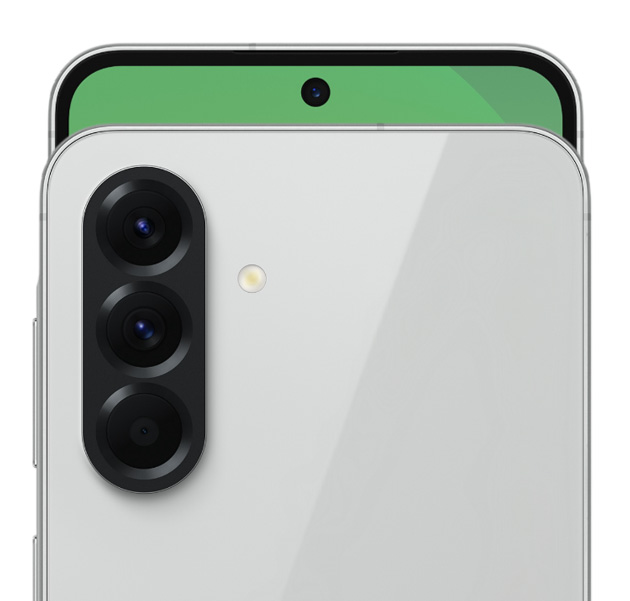
For the Galaxy A56, Samsung used three cameras: main, ultrawide, and macro. The main camera is a 50MP Sony IMX906 sensor. This sensor has an optical format of 1/1.56 inches, meaning the diagonal size of the sensor is about 10mm. I think 10mm for the main sensor of a mid-range camera is really good. The lens used for this camera has an equivalent focal length of 23mm and an aperture of 1.8. Focusing on this camera is PDAF, and it also supports optical image stabilization.
The ultrawide camera has a 12MP Sony IMX258 sensor. The lens for this camera has a focal length equivalent to 13mm and an aperture of 2.2. This camera doesn’t support autofocus.
The macro camera has a 5MP sensor that doesn’t support focus, and its aperture is 2.4.
On the front, the selfie camera has a 12MP sensor made by Samsung itself. The equivalent focal length of this lens is 25mm and the aperture is 2.2. This camera doesn’t support focus either. Well, those were the camera specs, now let’s talk about their output together.
The photos from the main camera look very attractive and eye-catching at first glance, to the point that you’ll enjoy looking at them. The dynamic range of these photos is really good, and even though the colors aren’t entirely natural, their saturation level isn’t annoying at all.
When I imported the photos from this camera into Photoshop to check the dynamic range and white balance, specifically during the clipping check where it shows which parts of the photo lost data due to being too bright or too dark, I noticed the software indicated clipping in the sky even though it looked blue with decent details. Do you know what this means? It means the sky we are seeing is essentially fake, and Samsung’s photo processing algorithm automatically painted the sky during its tone mapping process! I had never seen anything like this in the mobile world until now.
Of course, this isn’t entirely a bad thing. Do you know why Samsung did this? To create a good dynamic range. The Galaxy A56 basically focuses on dark spots when shooting in daylight, and that’s why shadows are captured with so much detail and without clipping. Now, when the shadows are captured this well, the bright parts like the sky lose their data and become white. After that, the photo processing algorithm steps in and paints a realistic-looking sky based on the rest of the image.
Long story short, the dynamic range of the photos taken by the main camera of the Galaxy A56 looks amazing on the surface, but the final image isn’t very realistic. The white balance of this camera’s photos is generally accurate, with only a slight yellow or blue tint visible. This means the software handles the white balance factor well.
When I cropped the main camera photos, I really enjoyed the level of detail in normal mode. Textures are processed very well with great separation, and I can’t find any flaws.
At 2x zoom, the textures look good and there is a lot of detail in the photos. However, if you crop the photo more than 50 percent, medium and small texture details are lost, and their edges become softer.
In full resolution mode, I think the detail level is very good, and if you focus on the center of the image, you get nice details when cropping. The full resolution mode of the main camera also lets you take pictures of close subjects and get good details after cropping.
Ultrawide camera photos also look very eye-catching and attractive at first glance. After analyzing them with various tools, I realized their characteristics are exactly like the main camera. There is a pleasant saturation in the photos, their white balance is accurate most of the time, and their dynamic range is good but unrealistic.
When I cropped these photos, I thoroughly enjoyed the level of detail. The textures in these pictures are natural and detailed, and I honestly can’t fault them.
Macro camera photos are a bit hard to capture because of the lack of autofocus. But if your hand doesn’t shake, the output is good.
Portrait photos with the main camera are taken in 1x and 2x modes. Most of the time, the colors in these photos are oversaturated, so much so that skin tones look unnatural. The detail level is great if the subject is close to you. It also separates the subject from the background well.
Regarding subject detection, non-human subjects are separated well from the background if they aren’t too complex. Overall, I give its portrait mode a good score.

The selfie camera photos in natural daylight are so good that it feels like a flagship phone took them! Not to mention that many flagships can’t even take selfies this good. All the factors are at their best in these photos, and the detail level is incredible. The Galaxy A56’s selfie camera is so good that you’ll constantly want to take pictures with it.
Well, that covers daytime photography. I was extremely satisfied with the Galaxy A56’s photography in natural daylight. Now let’s move on to night photography.
Photos from the main camera at night in low light are taken very well. The brightness level is excellent, the colors are a bit saturated like during the day but pleasant, and the dynamic range is at a good level.
One positive thing about these photos is that you don’t see noise without cropping. When I cropped them, I noticed that all textures, whether large, small, far, or near, were processed very well with no issues. The only flaw here is that light sources aren’t detected correctly, and their data is lost in the photo. Though, for a mid-range phone, this isn’t a serious issue.
By putting the Galaxy A56 in night mode, the software lowers the ISO and shutter speed, which ultimately results in better and more detailed photos, but the problem is that the dark areas of the photo get a completely blue tint.
In normal mode, the ultrawide photos have much more accurate colors compared to the main camera, and the brightness level is good considering the 2.2 aperture. However, they lack good clarity, and there is a lot of noise. Still, considering the environment’s brightness level and the lens being ultrawide, I was quite satisfied with its performance overall.
When you put this camera in night mode, the ISO and shutter speed parameters don’t change, but the photo gets much brighter. This means the image processing algorithm is painting for us and making mistakes in some parts of the image.
The Galaxy A56’s selfie photos at night are fantastic. Their brightness level is excellent, the details are very good, and the colors are largely natural.
Portrait photos taken at night and in low light are genuinely good. Their brightness level is great, the subject is well separated from the background, and the details are excellent for this mid-range phone.

Now for video recording. The Galaxy A56 can shoot 4K videos at 30fps with its main camera. The 4K videos from this camera have very good clarity at first glance. But when you look closer, you see that excessive sharpening has been applied, and in reality, the details aren’t that high.
The white balance of these videos isn’t good at all, and a yellow tint is clearly visible, but putting all that aside, if you look at the dark parts of the video, you’ll see a green tint that is truly awful. It’s like it tried to brighten the shadows to make the dynamic range look good, but failed. This problem existed in the A55 and hasn’t been fixed here either.
The main camera’s focus performance is acceptable, but if your subject covers a large part of the frame, the camera struggles to find it. The main camera’s optical image stabilization works very well, absorbing about 90% of the video shake if you walk or run.
In Super Steady mode, no matter what you do, your video won’t get shaky, but the clarity drops in return. Videos from this same main camera at night are captured very well. The brightness is excellent, noise is controlled nicely, and clarity is really good. The stabilization performance at night is such that if you stand still, it absorbs minor handshakes very well, but if you walk even slowly, your videos will get shaky.
The ultrawide camera videos are recorded at 4K and 30fps. The clarity of these videos is very good for an ultrawide lens. The colors are natural, the white balance is accurate, and the dynamic range is genuinely good. The night videos from this ultrawide camera aren’t good at all and aren’t worth analyzing.
The selfie camera videos were among the best I’ve seen. These videos are recorded at 4K and 30fps, and they are so good in every factor of clarity, color accuracy, white balance, and dynamic range that you just want to sit and watch the videos you took over and over again.
Display & Sound

Well, Samsung used a 6.7-inch Super AMOLED panel in the Galaxy A56 with a 120Hz refresh rate. It supports the HDR10+ standard for photos and videos and gives you 1200 nits of brightness, which is slightly brighter than the A55 panel, so you won’t be bothered under sunlight.
As I mentioned earlier, this phone has one speaker at the bottom and one at the top. The volume of these speakers is very good, and their ability to play mid and high frequencies is excellent. The positive point is that it also plays bass-related frequencies well. In its class, it’s one of the best.
Battery & Charging
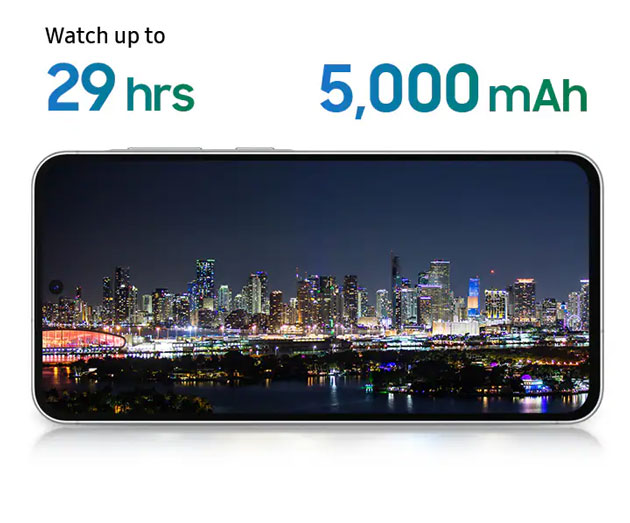
Like all Samsung phones, this Galaxy A56 has a 5000mAh battery. Instead of a 25W adapter, it supports 45W, which makes it charge faster, reaching a full charge in almost 1 hour and 10 minutes.
In my test, 1 hour of Call of Duty drains the battery by about 13 to 14%, and with normal use, the battery lasts a full day. But if you use it a bit more heavily, it won’t last a day, giving you about 6 to 7 hours of screen-on time.
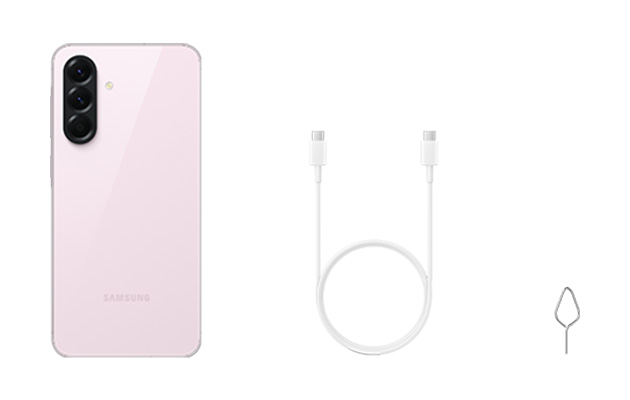
I can say that the A56’s battery life hasn’t changed much compared to the A55, and the only difference is the support for the 45W charger.
Performance
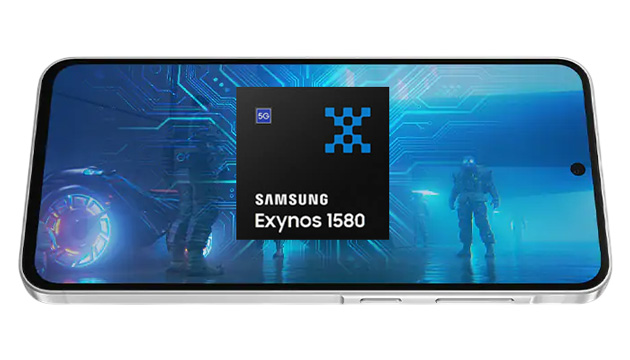
Samsung used its own Exynos 1580 chipset in the Galaxy A56, which is one generation above the Exynos 1480 in the A55. It’s very smooth for daily use and navigating the interface.
I played Call of Duty on this phone for an hour and didn’t see any weird frame drops or lag. But I guess I don’t need to tell you that this isn’t a gaming phone, and for this price, you can get better phones for gaming.
Besides this, you can get this phone in four versions, ranging from 128GB to 256GB of storage, and 6GB to 12GB of RAM.